Image to PSD Converter — Split Flat Images into Editable PSD Layers
Seeli converts flat PNG or JPEG graphics into layered Adobe .PSD files — pairing a clean inpainted base plate with up to 99 positioned transparent RGBA pixel layers and OCR text summaries, plus PNG + JSON ZIP export.
Create
My creations
- Layered .PSD & PNG ZIP export
- Base + up to 99 RGBA layers & OCR
- Unused credits refund automatically
- Pay per task · no subscription
How Image to PSD Conversion Works
Seeli uses ByteDance Seedream 5.5 to convert any flat PNG or JPEG into a real layered .PSD file containing an inpainted Background / Base plate plus up to 99 positioned transparent RGBA pixel layers labeled with OCR text summaries. With default Max 6, 1K/1.5K reserves 3 credits and auto/2K reserves 5 credits (unused credits refund automatically), so Mini ($3.99 / 6 credits) works out of the box with no subscription. Text layers export as crisp transparent RGBA raster layers rather than native TypeTool font layers — hide any text layer to type new copy cleanly on the inpainted base.
Inspect a 5-layer split & download a sample .PSD
Switch between Flat Poster, Exploded Layers, and OCR & Boxes — or download the exact 5-layer SOLSTICE .PSD sample right below to verify layer alignment inside Photoshop or Photopea.
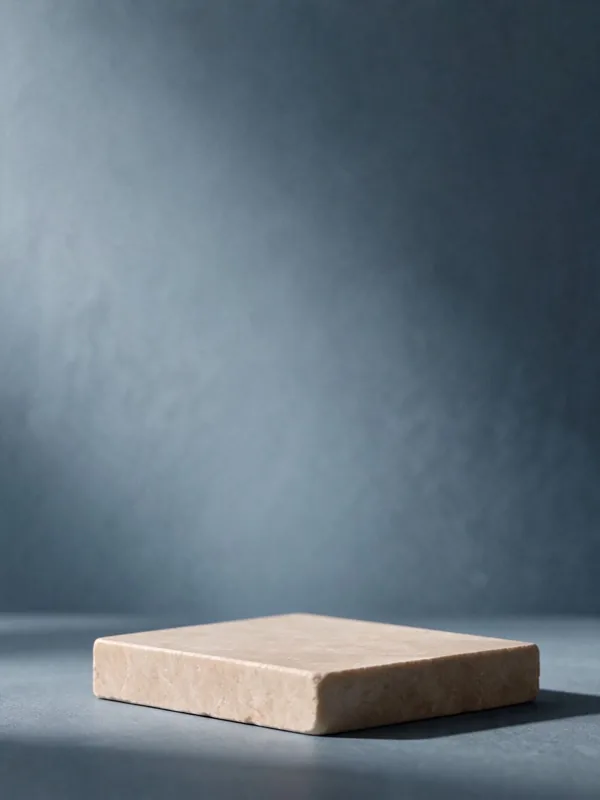
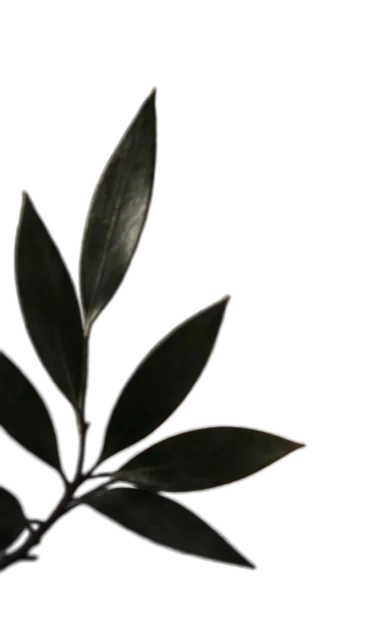
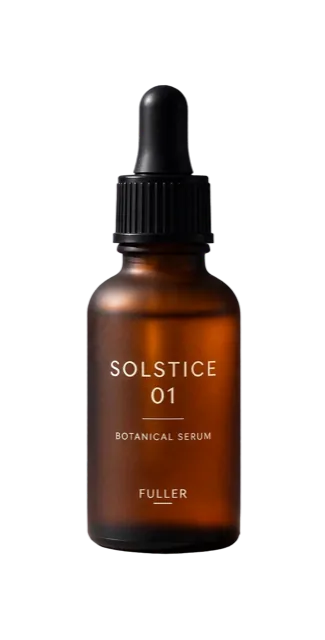

Actual Seedream 5.5 .PSD & ZIP output
base.png887×1182 clean inpainted wall & stone plinthlayer_01.pngRGBA botanical leaf · box [0, 575, 372, 1182]layer_02.pngRGBA serum bottle · box [238, 276, 644, 1074]layer_03.pngOCR: "SOLSTICE / 01 / BOTANICAL SERUM" · Tw Cen MTlayer_04.pngOCR: "NEW $38" · bold · box [606, 267, 776, 317]
Real Seedream 5.5 output: 1 clean inpainted base plate + 4 transparent RGBA layers with OCR text & coordinates, exported as layered .PSD or .ZIP.
Ordinary image-to-PSD converters vs Seeli AI layered .PSD
| Feature / Outcome | Ordinary PNG/JPG-to-PSD converter | Seeli AI layered .PSD (Seedream 5.5) |
|---|---|---|
| Layer structure | Wraps your flat image inside 1 single Background layer | Separates clean Base plate + up to 99 transparent RGBA pixel layers |
| Occluded background behind text & products | Missing — deleting text leaves blank holes | AI-inpainted Base layer fills the wall, gradient, or plinth behind foreground elements |
| Layer names & text discovery | Generic "Background" or "Layer 1" | Indexed layer names enriched with recognized OCR text summaries |
| Replacing poster copy or prices | Manual lasso selection and clone-stamping required | Hide the raster text layer and type directly on the clean base in Photoshop or Photopea |
| Companion deliverables | Single flat raster file only | Standard .PSD (PackBits RLE) + .ZIP (base.png, PNGs, manifest.json, ocr.json) |
Convert PNG or JPEG to layered .PSD in four steps
- Upload your flat PNG or JPEGDrop any poster, ad creative, or product graphic (at least 262,144 pixels, up to 20 MB) — or split a Seedream 5.5 still straight from your version tree.
- Preview 1K layers free or choose full resolutionNew accounts get 1 free watermarked 1K layer preview (up to Max 6 layers, OCR enabled) before spending any credit — or run 1.5K / 2K / Max 7–100 with automatic unused-credit refunds.
- Unlock clean .PSD & .ZIP without re-runningHappy with the 1K split? Click Unlock Clean .PSD & ZIP (2–3 actual credits, covered by $3.99 Mini · 6 cr) to download clean full-resolution .PSD & .ZIP files from the exact same run.
- Move, hide, or retype over the clean baseToggle foreground props or hide original raster text layers to drop localized typography onto the clean AI-inpainted backdrop without masking.
Adobe .PSD technical specs & honest text-layer boundaries
| Specification | On Seeli | Details |
|---|---|---|
| PSD binary specification | Adobe .PSD v1 (8BPS · 8-bit RGBA) | PackBits RLE compression, Blend mode norm, Opacity 255, full merged preview for Finder & Bridge |
| Layer positioning & naming | Tight RGBA bounding boxes + OCR summaries | Each layer is positioned cleanly on canvas and labeled with sequence number + OCR text excerpt |
| Text-layer boundary (transparent disclosure) | Transparent RGBA raster layers + OCR metadata | Native editable TypeTool commercial font layers are not embedded; hide text layers to type natively over Base |
| Dual export formats | Layered .PSD + PNG/JSON .ZIP | Switch seamlessly between Photoshop/Photopea (.PSD) and Figma/Canva (.ZIP) from the same task |
| Free 1K preview & clean unlock | 1 free 1K preview · unlock 2–3 cr (no rerun) | Inspect watermarked 1K layers first; spend credits once to unlock clean .PSD & .ZIP from $3.99 Mini (6 cr) |
| Full-res pricing & automatic rebates | Default Max 6 (3 cr at 1K/1.5K · 5 cr at auto/2K) | Packs from $3.99 (6 credits), zero subscription; unused reserved layers return automatically |
Related layer & design workflows
Questions
What is inside the exported .PSD file?
Every completed run exports a standard Adobe Photoshop .PSD (8BPS v1, 8-bit RGBA with PackBits RLE compression) containing an inpainted Background / Base layer plus up to 99 ordered transparent RGBA pixel layers positioned by exact bounding boxes, labeled with layer index and OCR text summaries, and paired with a full merged preview image.
Are text layers native editable TypeTool fonts or raster layers?
Text layers export as crisp transparent RGBA pixel layers with recognized OCR text in each layer name and in ocr.json — not native TypeTool vector font layers (no local commercial font files are embedded). Because Seeli also AI-inpaints the clean Background / Base behind every headline and badge, you simply hide any original text layer in Photoshop or Photopea and type new copy cleanly on the base without masking or clone-stamping.
How is Seeli different from ordinary PNG-to-PSD or JPG-to-PSD converters?
Ordinary converters simply wrap your flat PNG or JPEG inside a single flat background layer. Seeli uses Seedream 5.5 AI decomposition to separate foreground subjects, props, price badges, and headlines onto independent transparent RGBA layers while automatically reconstructing the occluded background behind them.
Which design apps open Seeli .PSD files?
Seeli .PSD files open natively in Adobe Photoshop, Photopea (browser-based), Affinity Photo, Clip Studio Paint, and other standard layered PSD editors, with merged composite thumbnails visible in macOS Finder and Adobe Bridge.
Can I test a sample .PSD before signing in?
Yes. Click Download Sample .PSD below the interactive 3D layer preview on this page to download the 5-layer SOLSTICE poster (.psd) and inspect every layer directly in Photoshop or Photopea with no sign-in required.
How much does converting an image to layered .PSD cost?
New Google accounts get 1 free 1K layer preview (up to Max 6 layers) to inspect the split layers online with zero hidden fees. When you are happy with the separation, click Unlock Clean .PSD & ZIP for the actual 2–3 credits (without re-running the AI model) using a one-time pack from $3.99 (Mini · 6 credits). Full-resolution 1.5K/2K runs or Max 7–100 layers reserve credits upfront and refund unused credits automatically after delivery.
Can I still download PNG layers and JSON for Figma or Canva?
Yes. Every completed layer run includes both a one-click Download .PSD button and a Download .ZIP button containing base.png, individual RGBA layer PNGs, manifest.json coordinates, and ocr.json.