Seedream 5.0 Pro
Generate images from text or edit one photo with Seedream 5.0 Pro on Seeli. 1K costs 1 credit and 2K costs 2 credits.
Generate with Seedream 5.0 Pro
Google sign-in required. One-time credit packs start at $3.99.
Seedream 5.0 Pro edit example
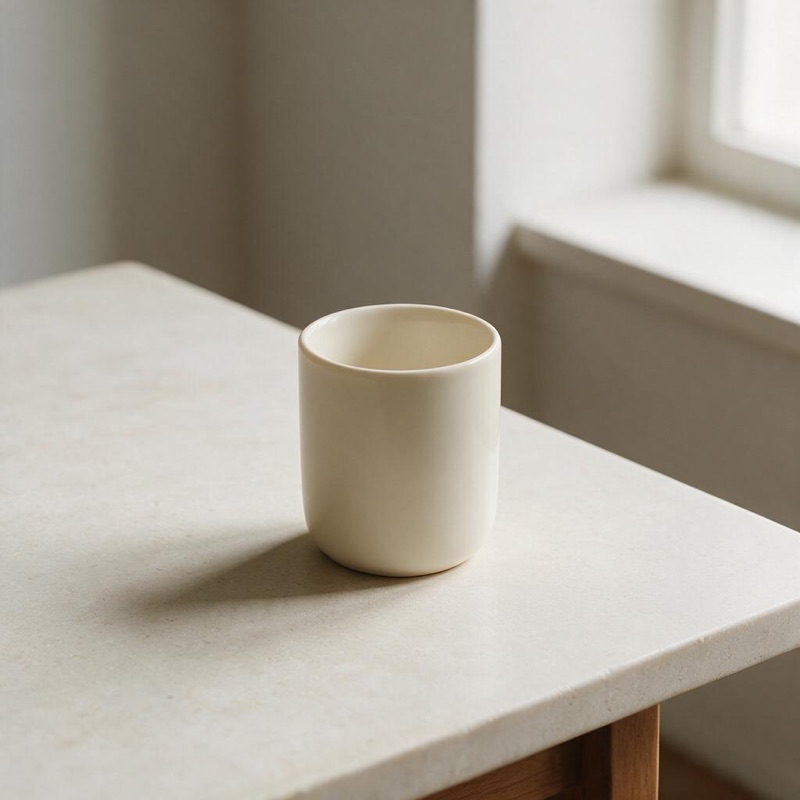

The prompt asked for a forest-green glaze while keeping the shape, table, and lighting. The output also added a handle.
Output settings
| Setting | Available on Seeli |
|---|---|
| Generate | Text prompt. Choose 1:1, 4:3, 3:4, 16:9, or 9:16. |
| Edit | One source image and a text instruction. The output follows the source aspect ratio. |
| Resolution and cost | 1K for 1 credit or 2K for 2 credits. |
Seedream 5.0 Pro vs Seedream 5.5: when to stay vs switch
| Decision factor | Seedream 5.0 Pro (Legacy) | Seedream 5.5 (Recommended default) |
|---|---|---|
| 2K image credit cost | 2 credits ($0.56–$1.33) | 1 credit ($0.28–$0.67) — 50% lower credit cost at 2K |
| Multi-reference blending | 1 source image only | Up to 10 reference images (1–3 credits) |
| Native transparent PNG (RGBA) | Not supported (RGB only) | Supported at 1 credit across 1K, 1.5K, and 2K |
| Layer separation + OCR (.PSD & .ZIP) | Not supported | Base plate + up to 99 transparent RGBA layers + OCR (.PSD & .ZIP) |
| Best reason to keep 5.0 Pro | Reproducing an established 5.0 Pro prompt aesthetic or legacy client look | All new production stills, packaging edits, RGBA cut-outs, and poster splits |
Explore related image tools
Questions
How much does Seedream 5.0 Pro cost?
On Seeli, 1K costs 1 credit and 2K costs 2 credits for generation or editing. One-time credit packs start at $3.99. See credit packs.
Can I edit an existing image?
Yes. In the Studio, switch to Image Edit, keep Seedream 5.0 Pro selected, upload one source image, and describe what to change.
Do I need an account?
Yes. Sign in with Google to run Seedream 5.0 Pro. New Google accounts also receive 1 starter 1K run with Seedream 5.5 after verification.
When should I use Seedream 5.5?
Choose Seedream 5.5 for multiple references, transparent PNGs, or layer separation. Use 5.0 Pro when you want to reuse a prompt with the same model.